Your photos, read from your own files
Your drives hold years of shooting and no one ever told you the story. Camera Journal reads the metadata of every file, in place, and turns it into the map of your travels, the truth about your gear, and the record of each year.
Free up to 4,000 photos and videos. No account, no sign-up.
Version 1.0.1 · macOS 11 Big Sur or later · signed and notarised by Apple
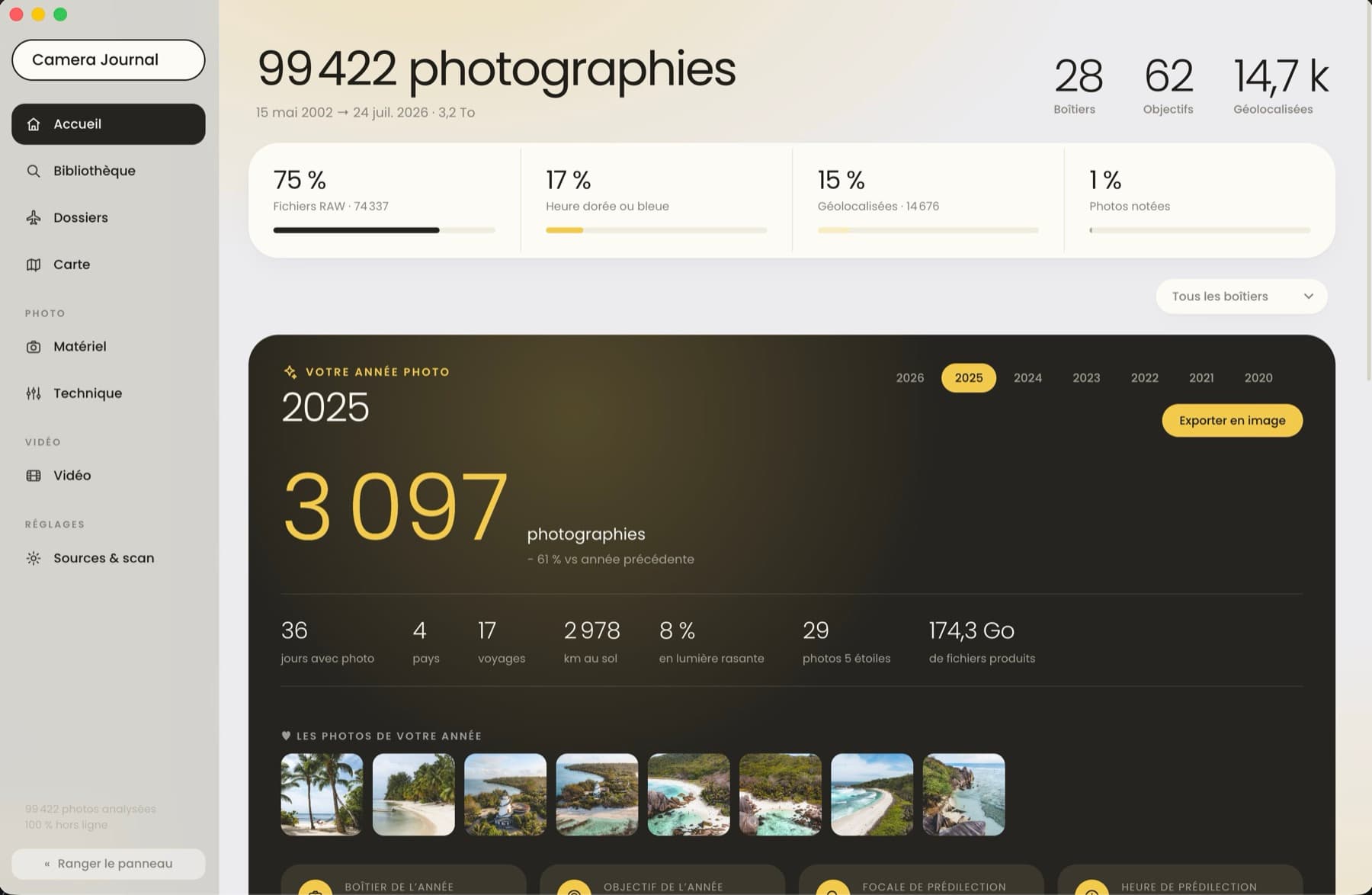
files read, RAW included
offline, your images never leave
once, beyond the free tier
What you find
What your files already know about you
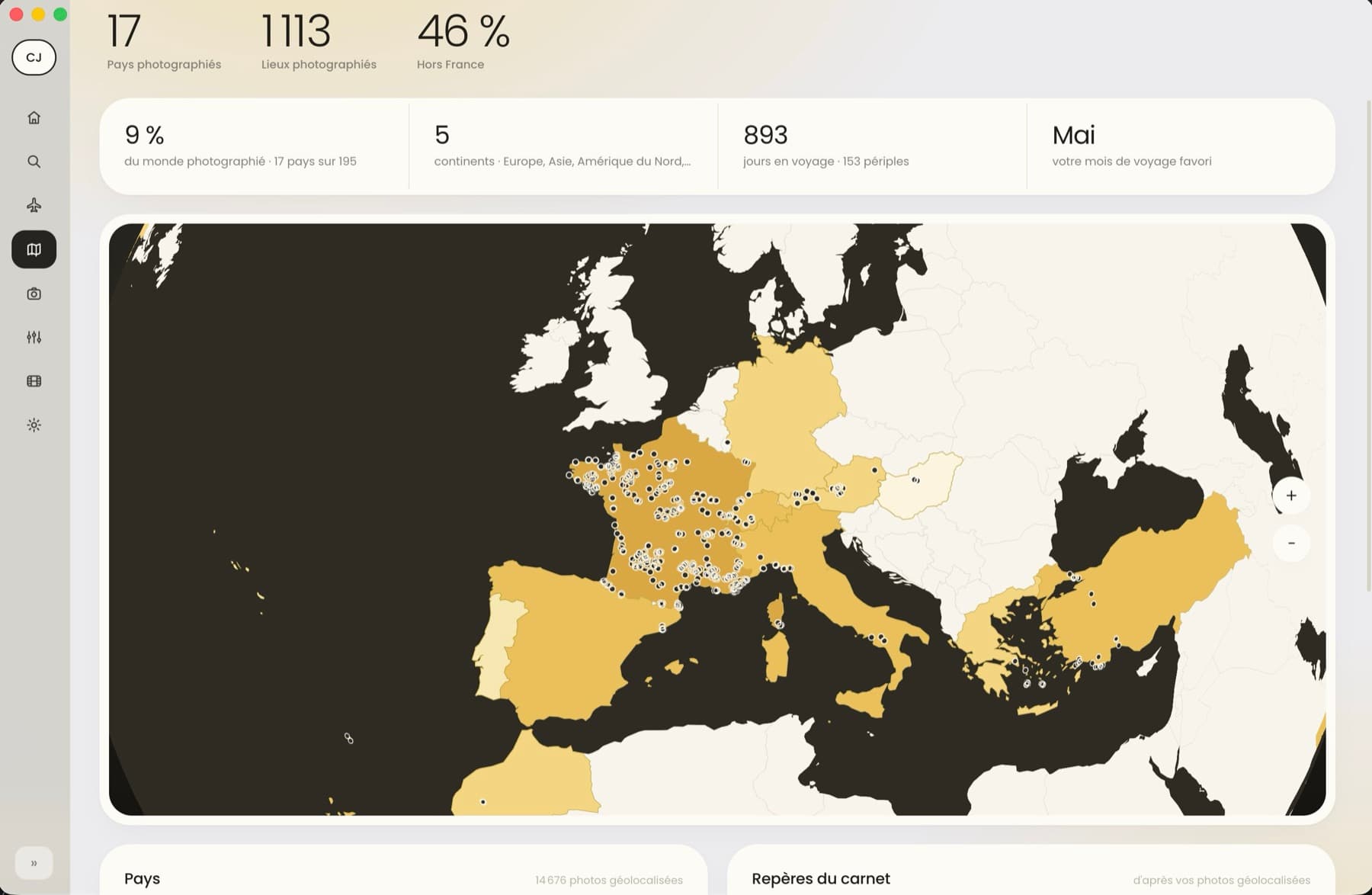
Where you have been shooting
Every geotagged photo lands in place, grouped into trips. Countries fill in as you cover them, and the landmarks of the logbook come out on their own: the highest point, the northernmost, your favourite month to travel.
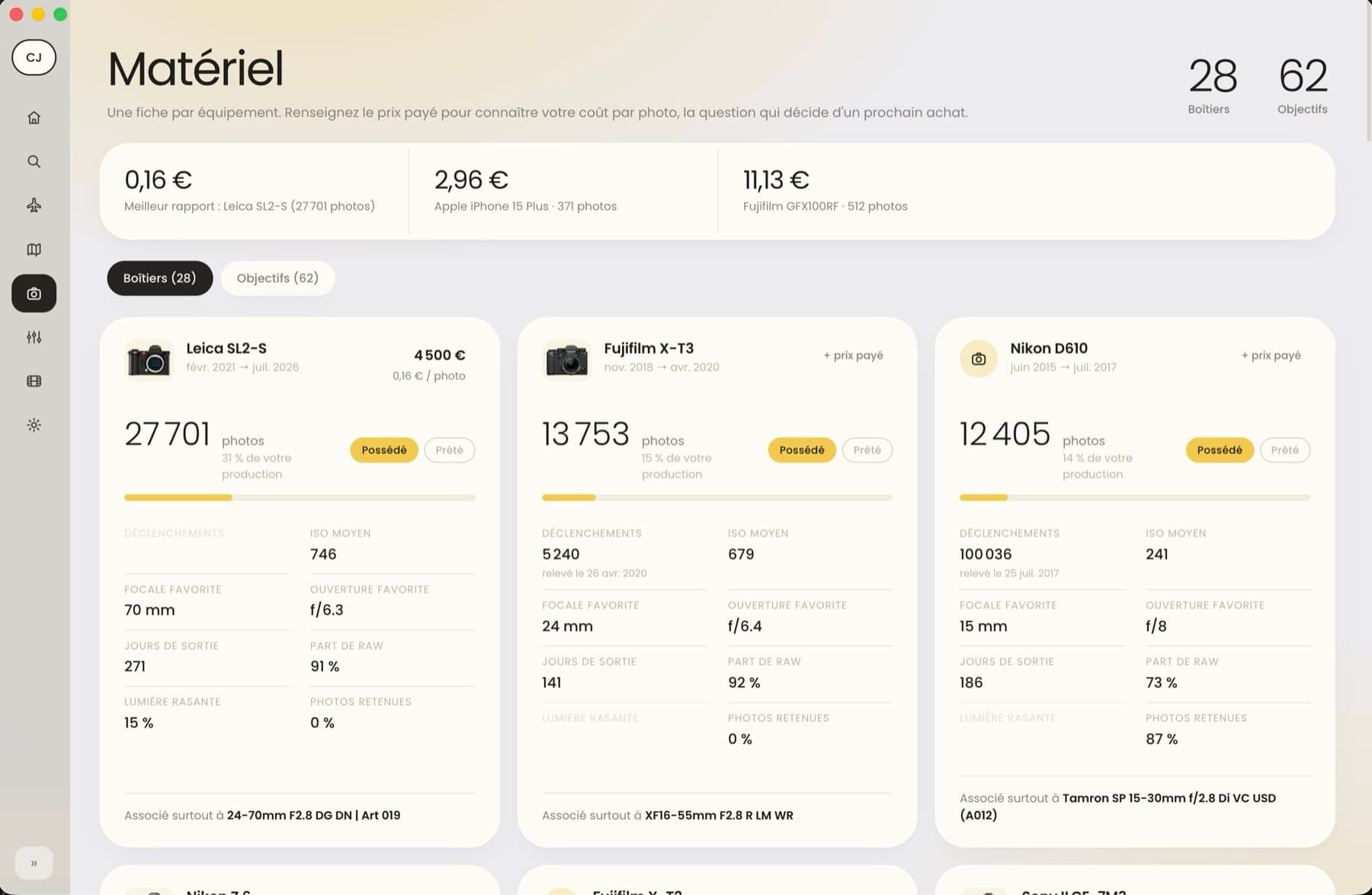
What each body really cost you
One sheet per piece of gear, with its cost per photo as soon as you enter what you paid. Shutter count, average ISO, favourite focal length and aperture, share of RAW, days out: enough to settle your next purchase on numbers rather than on an urge.
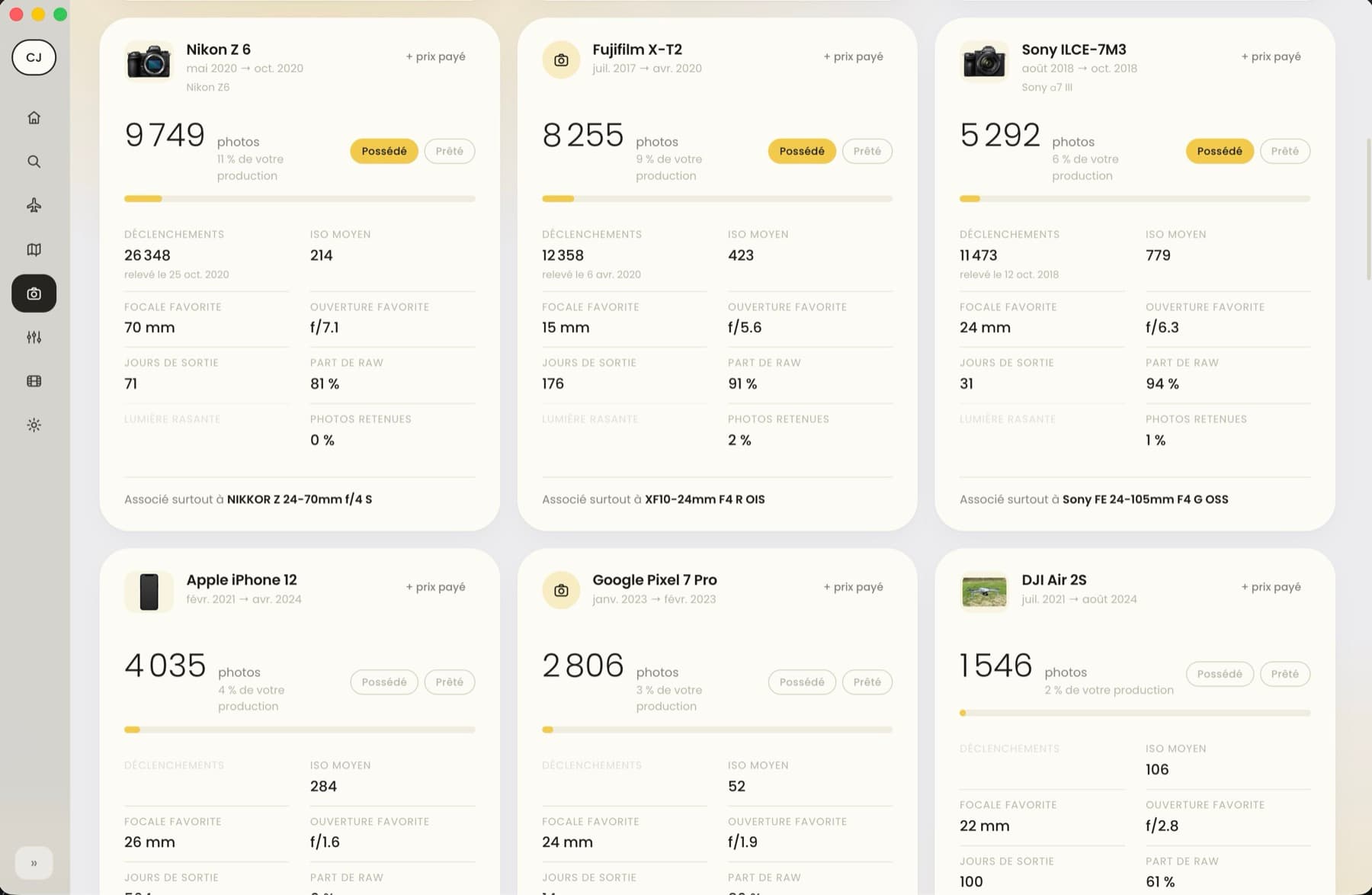
The phone and the drone count like the rest: they are part of your output.
Your settings, your hours, your light
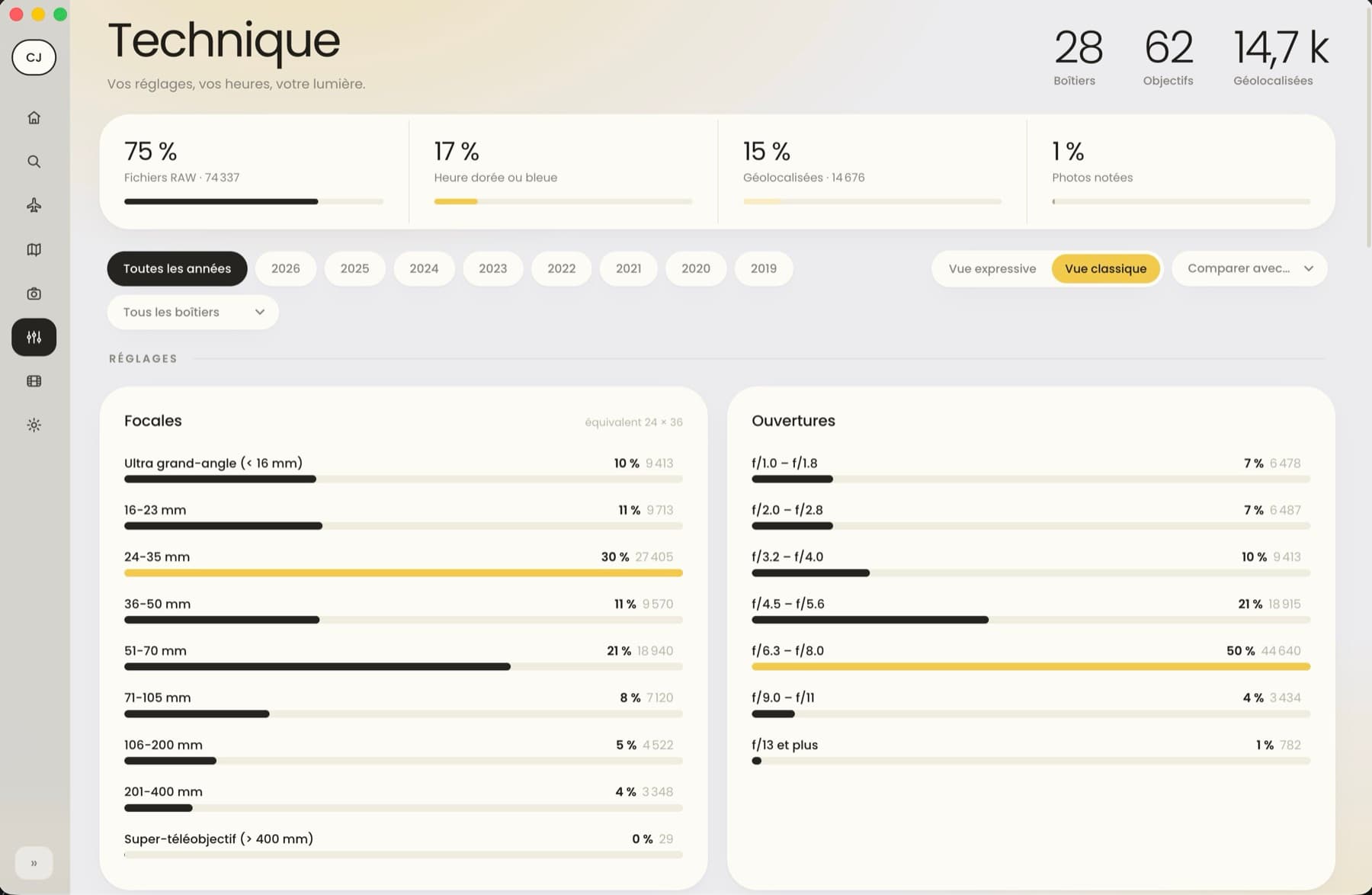
How your focal lengths and apertures break down, percentage first. This is where you find out that a third of your work sits in the 24-35 mm range, or that half your frames are closed down between f/6.3 and f/8.
Find a frame by what you remember of it
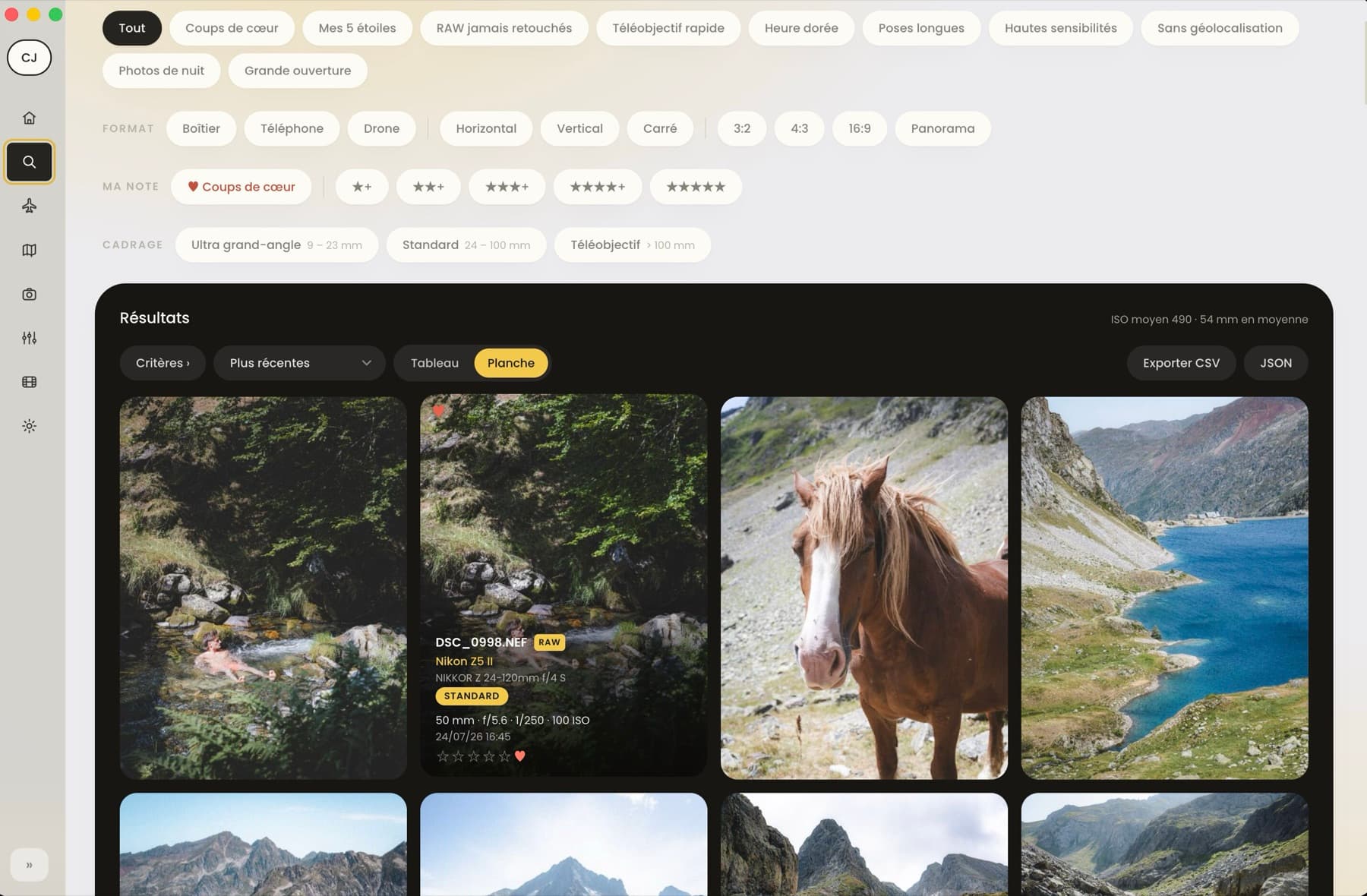
Your favourites, your five-star frames, the RAW files you never edited, the long exposures, the high ISO shots. You search by intent rather than by filename, and every thumbnail carries its body, lens and settings.
How it works
Three moves, then nothing left to do
You point at your folders
External drives, a mounted NAS, the Apple Photos library, Lightroom catalogs. Camera Journal moves nothing and edits no file.
It reads the metadata
EXIF, XMP, IPTC and maker notes, including inside RAW files from every manufacturer. Around 250 files per second.
You unplug the drive
Everything is cached, previews included. Your statistics and your images stay available with the drive disconnected.
RAW, Lightroom, video: read the right way
An edited file is no longer the raw file. Camera Journal reads your Lightroom catalogs and always shows the developed version when there is one: you do not get your flat files back after working on them.
- Formats
- JPEG, HEIC, PNG, TIFF, RAW from every manufacturer, video
- Lightroom
- catalogs read, developed previews take priority
- Duplicates
- spotted and counted only once
- Scale
- tested on a 110,000 file library
Privacy
Your photos never leave your Mac
This is not a marketing promise, it is a technical constraint: the app has no server to send your images to. Only three features reach the Internet.
- The weather for a given day, when you ask for it.
- The update check, which you can turn off in one click.
- License activation, if you buy a key.
Pricing
Free first, paid only if you stay
Every feature, up to 4,000 photos and videos. No account, no trial that expires, no crippled function.
One-time purchase, no subscription and no expiry. Two Macs per key, updates included. The key is bought from inside the app.
Secure payment handled by Creem. Your key arrives by email, straight away.
Frequently asked questions
Are my photos uploaded anywhere?
No. They are read from your disk and the results are stored in a local database. The app has no server to receive them.
What happens when I reach 4,000 files?
Nothing closes and nothing is deleted. New files are simply left out of later scans, and the app tells you how many. Everything already indexed stays available.
Do I have to plug my drives back in every time?
No. Once a drive is scanned, its metadata and previews are cached. You only reconnect it to index what is new.
Does it modify my files?
Never. The app opens your files read-only. The ratings and favourites you add live in the Camera Journal database, not in your images.
What if I change Mac?
One key covers two Macs. You deactivate the old one from the License tab and the seat is freed at once.
Is Windows planned?
The app is built for macOS today. A Windows version is possible, but not dated.
A question before buying?
Write to contact@lezbroz.com: a human answers, within three business days at the latest.
Get started
Plug in a drive, see what it says
The first scan is enough to understand. You will watch your years fill in, your map cover itself, and your lenses rank themselves.
Version 1.0.1 · macOS 11 Big Sur or later · signed and notarised by Apple